Quippe

Approved · Now on the App Store

Voice & text journal · Free on iPhone

Your day, written back to you.

Talk or type a few Quips. Quippe turns them into a story of your day, shows how it felt, and helps you turn what you said into small steps and goals you keep coming back to.

Free on the App Store for iPhone and iPhone Duo. Requires iOS 15.1 or later.

iPhoneiPhone DuoHome Screen widgetWebAndroid · later

Thursday, October 29

Draw what you see.

A heron at the river to start, then the first figure drawing class. Everyone else was better, and somehow that was fine. One line from the teacher stayed all evening.

  1. Morning walk with a coffee. Saw a heron standing completely still in the shallows.
  2. First figure drawing class. The teacher said to draw what you see, not what you know.Draw a little most days
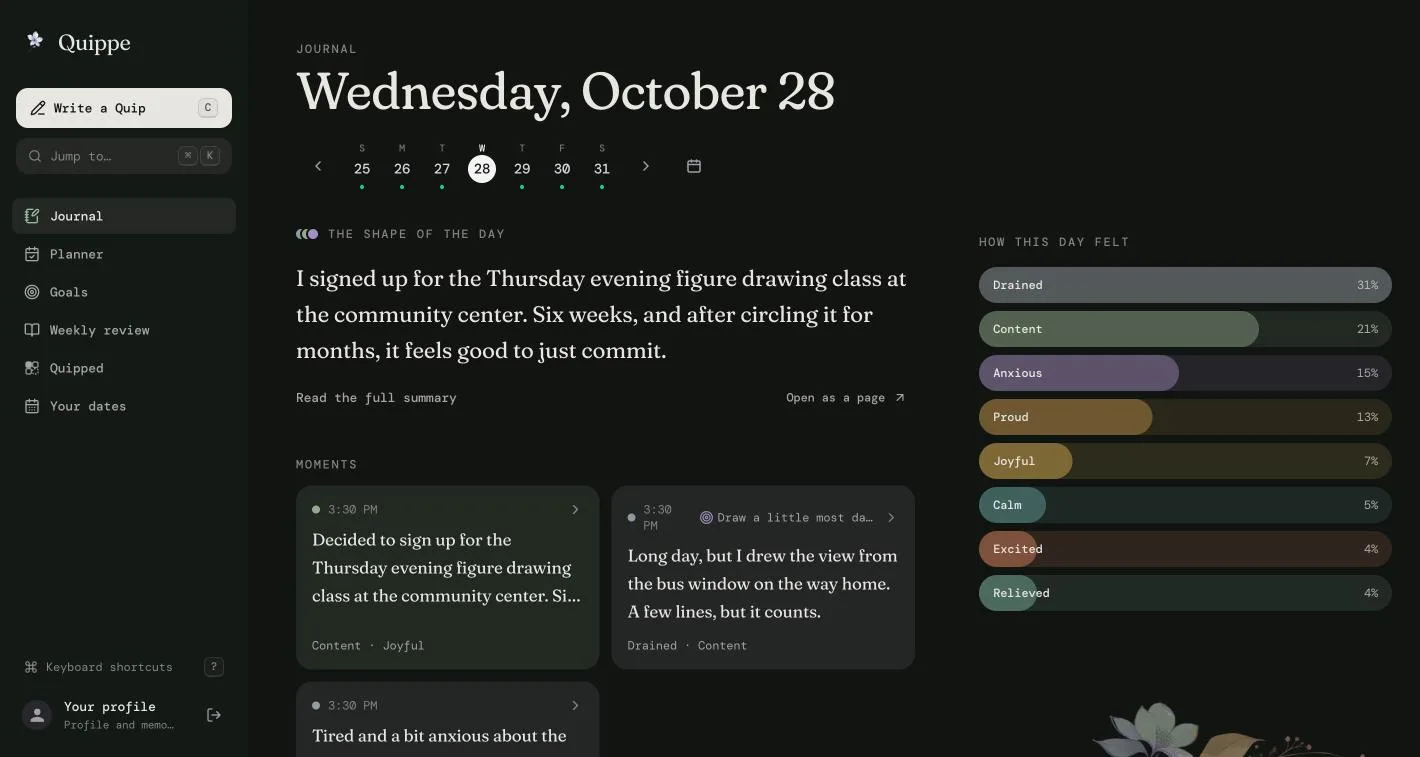
  • Content
  • Joyful
  • Proud
  • Calm

Small steps

  • Morning walk by the river
  • Bring charcoal to Thursday’s class
  • Practice drawing hands for ten minutesAddDismiss
Fictional example

How it works

Say it once. Quippe keeps the thread.

  1. CaptureRecord or type a Quip. Your words appear as you speak, then get a light cleanup you can edit.
  2. Read your dayQuips come together into a daily story, oldest to newest, with a mood flower colored by how it felt.
  3. Take a stepPlan small steps, add the ones Quippe suggests, and keep goals that your Quips connect to.
  4. Look backEach finished week becomes a review of habits, people and decisions, linked to your own words.
app.quippe.ai
Quippe on the web: today’s page with Quips, a mood flower and small steps

“Monday again but it feels different. Walked first, then work.”

Speak or type. Guided prompts help when a blank page feels like too much, and an evening Reflection closes the day with one question.

Small steps & goals

From something you said to something you do.

Quippe listens for the small things worth doing next. You decide what stays: suggestions wait for your Add or Dismiss, and goals only move when you write about them.

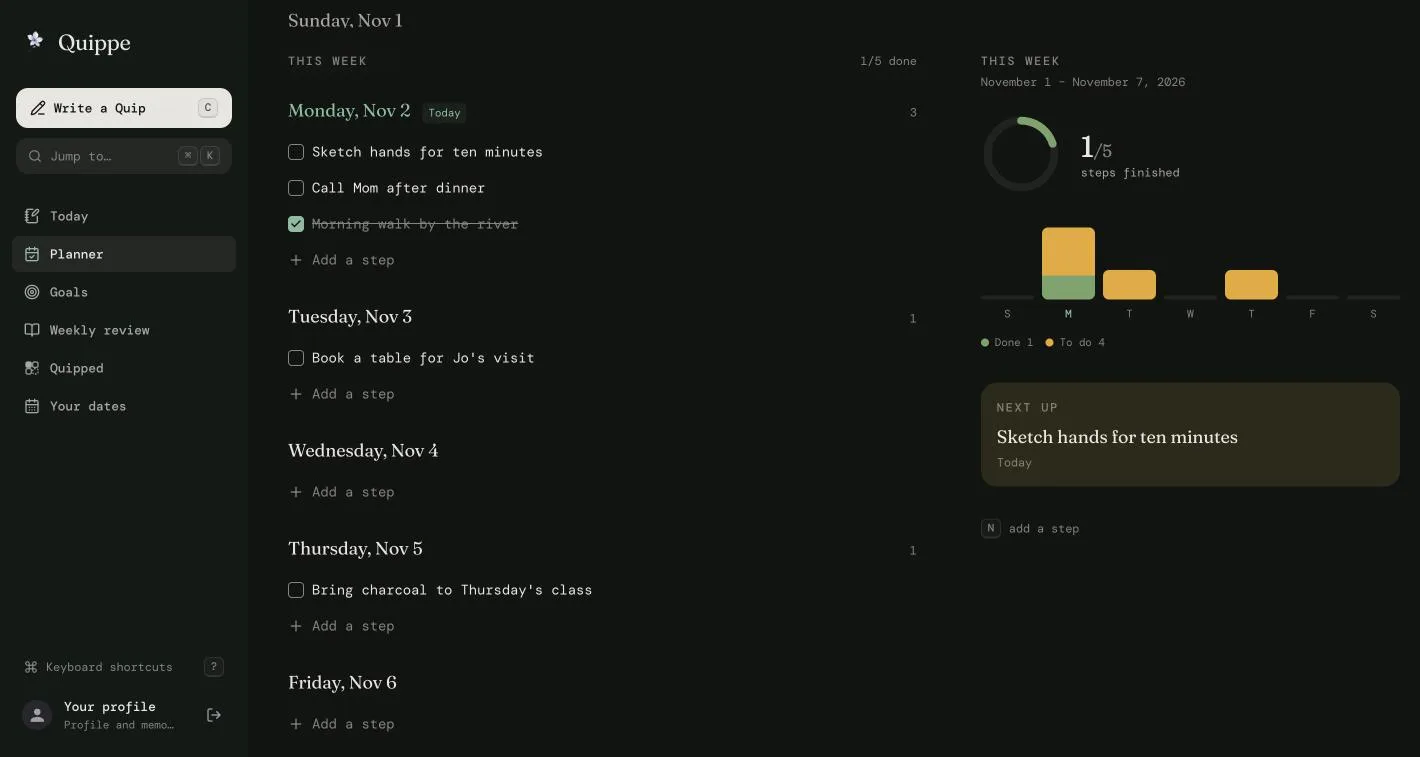
The planner with small steps for each day of the week
Plan by the day. Today, tomorrow or any day ahead. Unfinished steps can move to today.
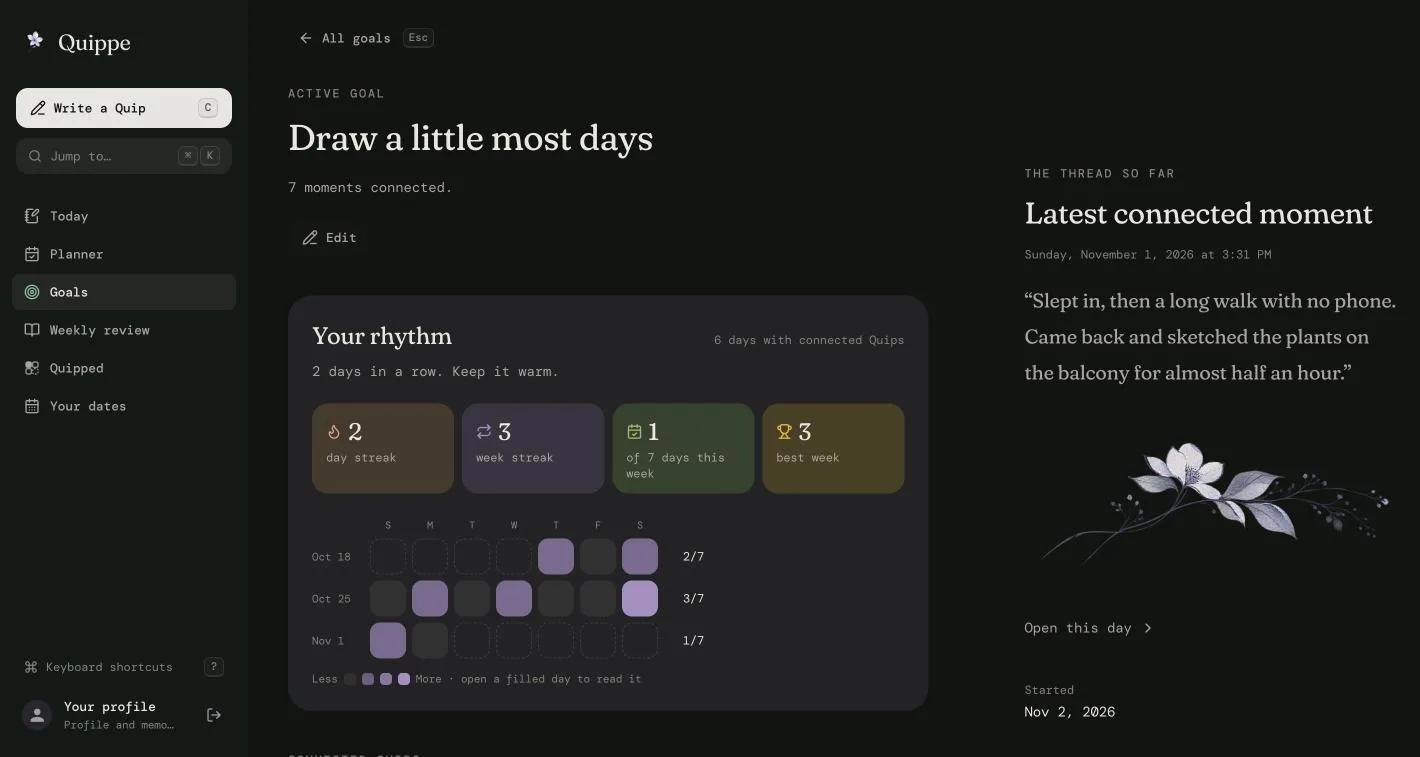
A goal page with its week-by-week rhythm and connected Quips
Goals with a rhythm. Connected Quips, streaks, and a nudge when a goal goes quiet. Set one aside or call it done.
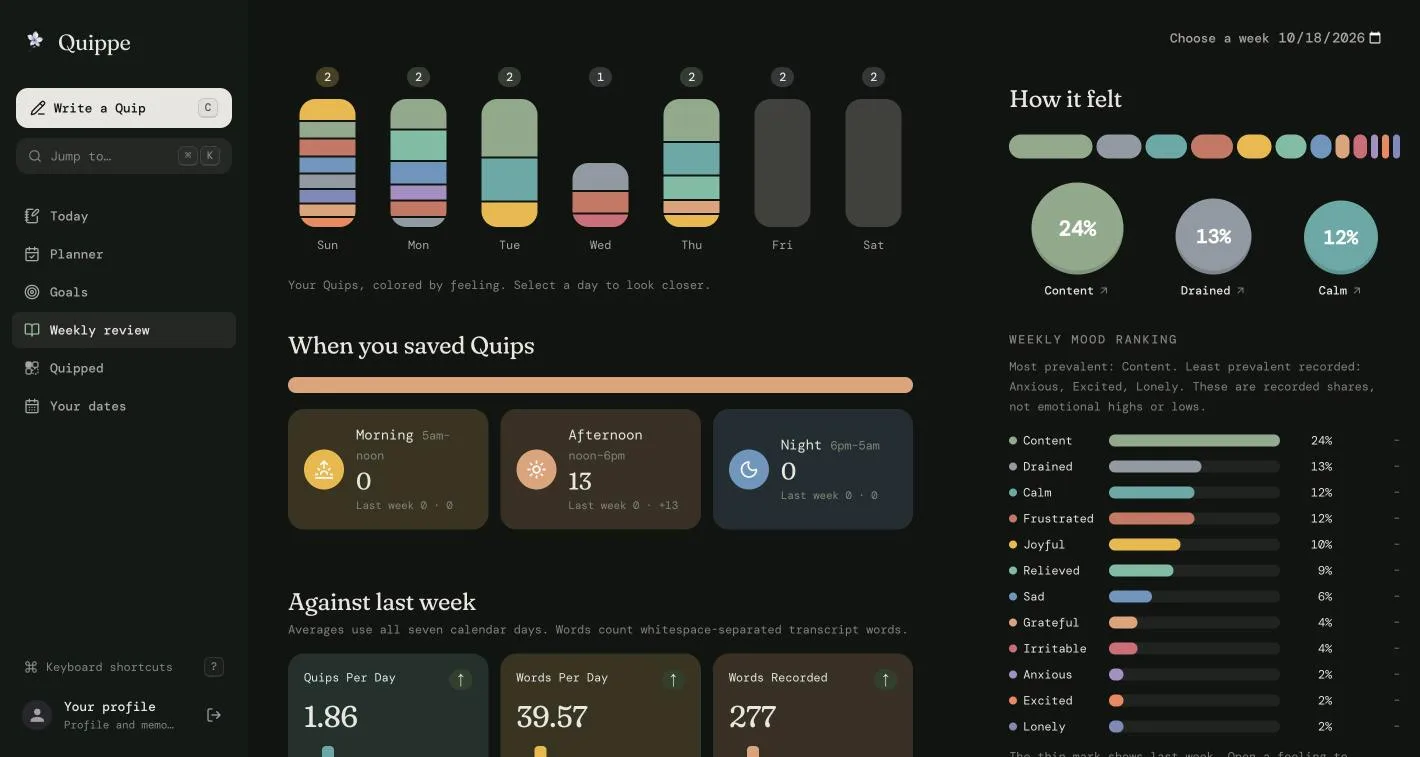
A weekly review showing habits, moods and the days of the week
Insights you can check. Every line in a weekly review opens the Quips it came from.

Weekly review

Every Sunday, a week you can read.

When a week ends, Quippe gathers it: which habits showed up, which are forming and which went quiet, the people and decisions in each day, how it compares with last week, and what kept coming back.

  • Habits: showed, forming, ended, quiet
  • People, decisions and insights by day
  • Mood ranking against last week
  • Share your week, feelings or persona as a picture

Oct 18 – 24

A week of small restarts

13 Quips · 7 days

How it felt

Content, calm, joyful

Who you were

The quiet restarter

Finds the way back through small, repeatable mornings.

Persona · this week

More than a list of days

A few quieter ways back in.

Quipped

Guess the day.

A puzzle drawn from a random past day. Each guess unlocks a more specific memory hint.

Guided & Reflection

“What felt a little lighter today?”

Guided sessions explain their focus, then ask. Each answer is saved as its own Quip.

Memory

You decide what’s true.

Walks to the river before work

YesNot quiteNo

Your portrait is rebuilt only from facts you confirm.

Your year

Every day, one square.

Moods and Quips for the whole year at a glance.

Sticker book

91 stickers for showing up.

For your first page, a full week, a 3 a.m. Quip, a goal you reached. They stay a surprise until you earn them, and each one shows how it was earned.

First page Full week Night owl Small steps A direction Touched grass Early bird Eight shades Remembered Chef A locked sticker A locked sticker

Wherever you are

One journal, on the screen you have.

Sign in once and your Quips, steps and goals follow you. Here’s the same Sunday on all three.

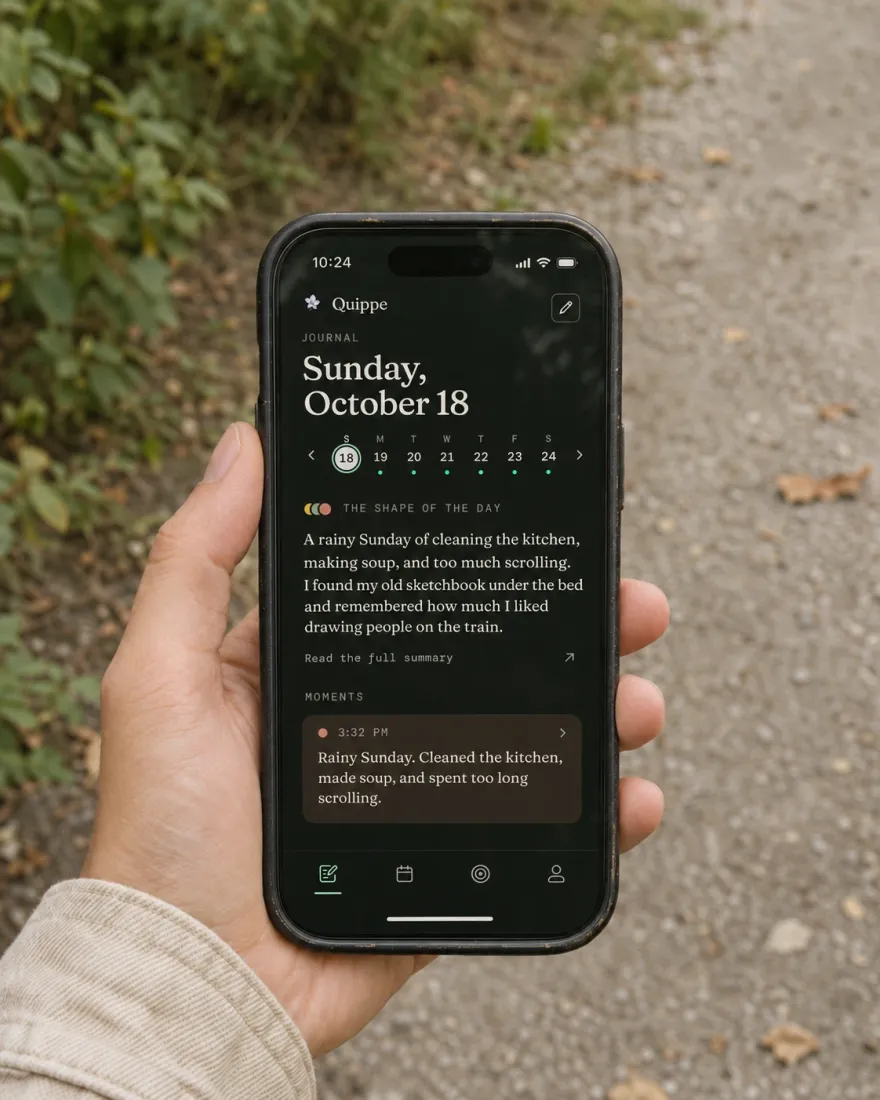
A hand holding an iPhone on a gravel path, Quippe open to Sunday, October 18 with the story of the day and a moment.

iPhone App Store

Record on the go, get streak and step reminders, and add a Home Screen widget with today’s mood and your streak.

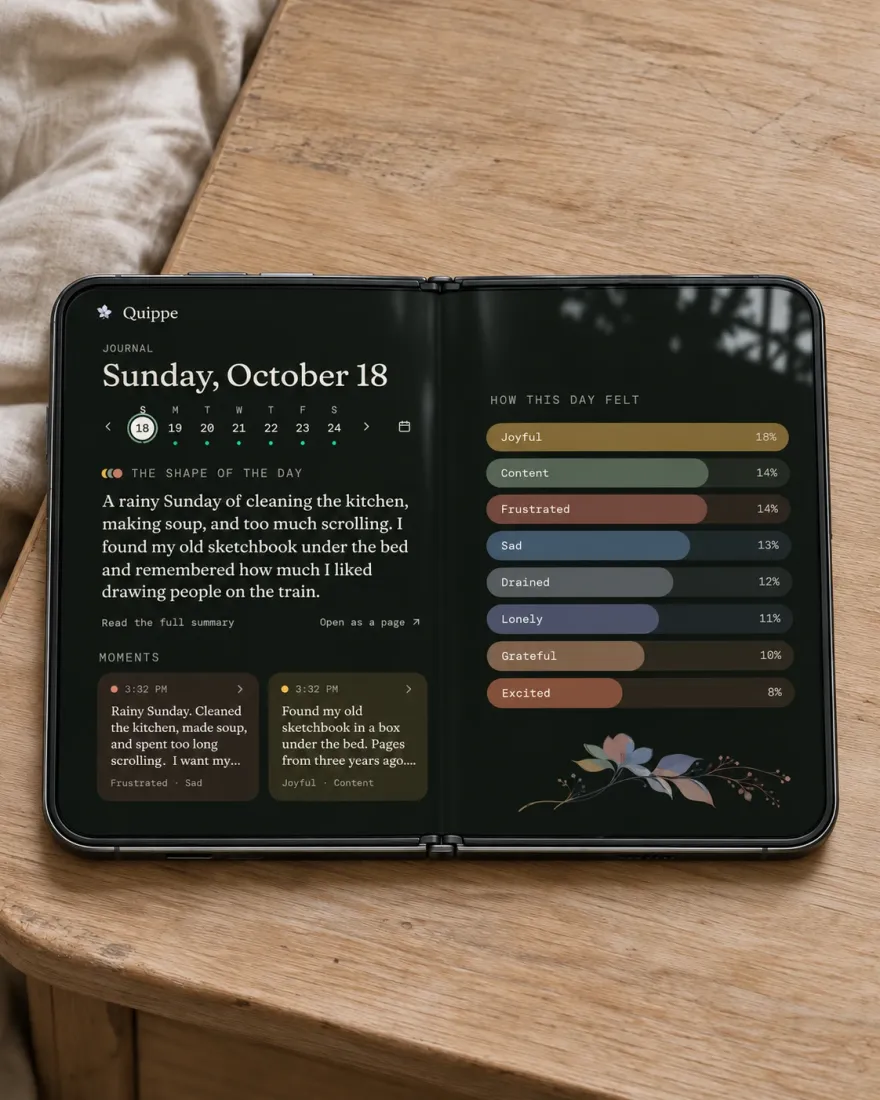
An iPhone Duo open flat on a wooden table like a book: the day and its moments on the left, how the day felt on the right.

iPhone Duo App Store

Open it and your journal becomes a book: the day on one page, your steps on the other, and a page turn to the next day. Half-fold it and the keyboard rests on the bottom.

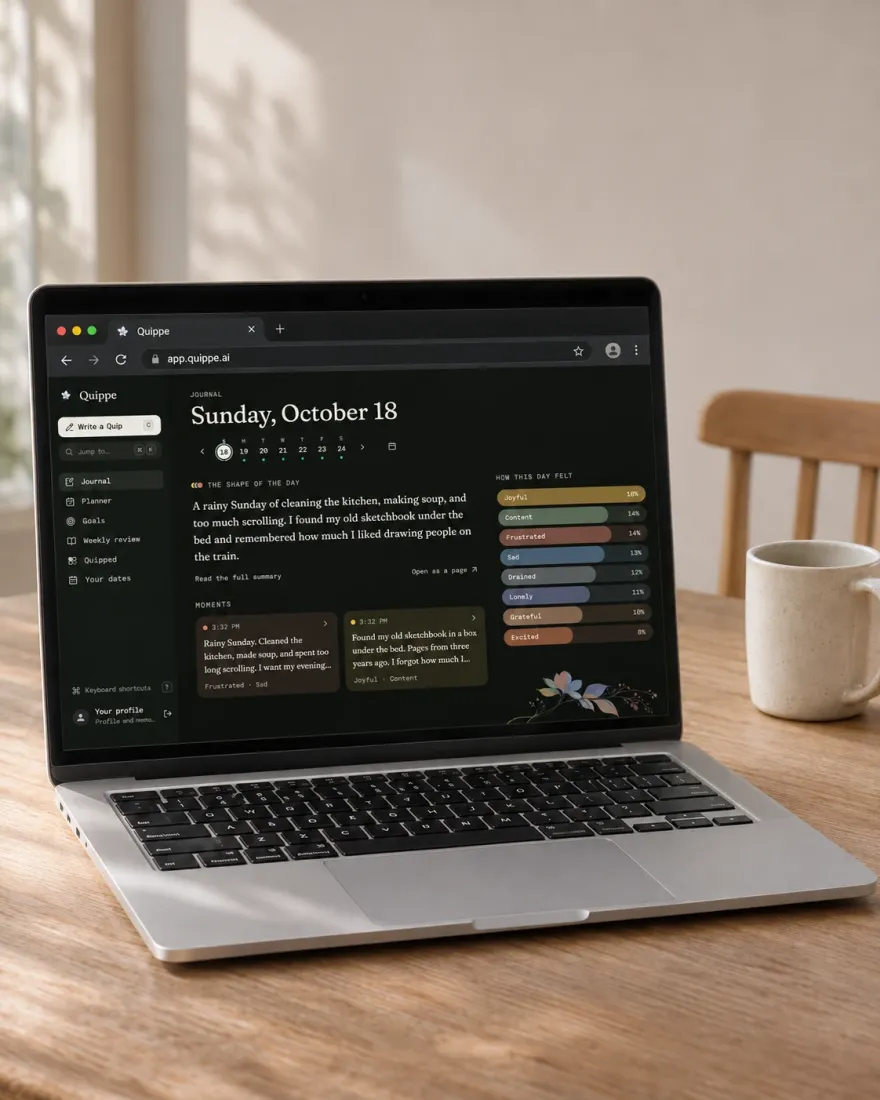
A laptop on a kitchen table beside a mug, Quippe open in the browser at app.quippe.ai.

Web

Any modern browser at app.quippe.ai, with keyboard shortcuts and a wide two-column layout.

Approved by Apple

Quippe is on the App Store.

Thank you to everyone who journaled with us in the beta. The iPhone app is where Quippe grows fastest: the Duo book layout, the Home Screen widget and reminders all landed there first. Now it’s one tap away.

  1. DownloadFree on the App Store, for iPhone and iPhone Duo.
  2. Sign inWith Apple, Google or email. Your web journal is already there.
  3. Say one thingYour first page writes itself.

On the TestFlight beta? Install the App Store version and sign in. Your journal comes with you.

QR code that opens Quippe on the App Store
Scan with your iPhone camera

Personal, by design

Your journal, with the controls in reach.

Your journal is tied to your account, encrypted at rest, and sent over secure connections. Voice transcription and AI features need providers to process your content, so you agree to each one, and you can see them all in Settings.

  • Agree per providerSee each service that processes your Quips, and why.
  • Analytics are opt-inOff unless you turn them on.
  • Download my dataExport your journal from Settings or Profile.
  • Delete accountRemoves your account and journal.

A WAY INTO THE HABIT

A few things worth reading.

Practical guides for starting, returning, and finding your own way to journal.

Good questions

A little more clarity.

What Quippe does, where it runs, and what happens to your words.

Still wondering? Write to us at team@quippe.ai. A screenshot helps. Download on the App Store

Getting started

What is Quippe?

Quippe is a personal journal for voice and text. You save short entries called Quips, and Quippe turns them into a readable story of your day, a mood flower, small steps, goals and a weekly review.

Can I write instead of recording?

Yes. You can type or record a Quip. Voice recordings are transcribed as you speak, and you can edit the text before saving.

How do I get the iPhone app?

Download Quippe free from the App Store, or scan the code on this page with your iPhone camera. Sign in with Apple, Google or email, and your journal is there. Already on the TestFlight beta? Install the App Store version and sign in.

Where can I use Quippe?

Use Quippe on iPhone and iPhone Duo with the App Store app, which adds reminders and a Home Screen widget, or on the web at app.quippe.ai. Android is planned. The web supports Google and email magic links; iPhone supports Apple, Google and email with a password.

Does Quippe work on iPhone Duo?

Yes. In the iPhone app, opening an iPhone Duo turns your journal into a two-page book: the day on one page, your steps on the other, with a page turn to the next day. Half-fold it and the keyboard rests on the bottom while your words stay upright.

How much does it cost?

Quippe is free on the App Store and the web. We are still improving it and welcome feedback as you use it.

Steps, goals & insights

How do small steps and goals work?

Small steps are tasks for a particular day, today or later. Unfinished steps can move to today, and steps suggested from your Quips need your Add or Dismiss. Goals are ongoing directions you create. Quips about a goal show up as connected moments and a week-by-week rhythm. Goals never complete on their own.

What is the weekly review?

After each Sunday to Saturday week, Quippe gathers the habits that showed up, formed, ended or went quiet, the people and decisions in your days, and how your feelings compare with the week before. You can share your week, feelings or persona as a picture.

What does the AI do?

AI cleans up transcripts, writes your daily story, reads the feelings in each Quip, suggests small steps, connects Quips to your goals, and prepares weekly reviews. Suggested steps wait for you to add or dismiss them, and each line in a weekly review links to the Quips it came from. The AI services we use don’t train on your journal. See how small a part AI plays.

Privacy & your data

Is my journal private?

Your journal is tied to your account and encrypted at rest. Connections use TLS. Transcription and AI providers process content to deliver the features you use, and you agree to each provider separately. Analytics are opt-in, and you can download your data or delete your account at any time. Read the privacy policy.

Can I download or delete my journal?

Yes. Download my data and Delete account are in Settings on iPhone and in Profile on the web. Deleting your account removes your journal.

One moment for you

Start with what’s on your mind.

You don’t need the right words. Just a place to put them.

Free on the App Store and the web.